Phone to TV HDMI USB-C MHL
Visual Data
Briefing
Core Data
core functions
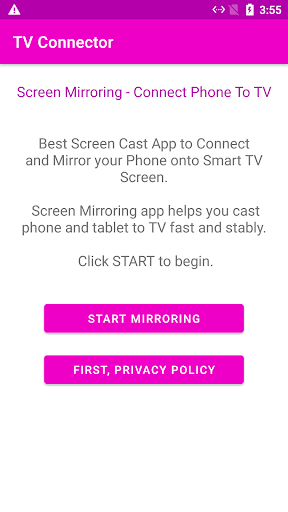
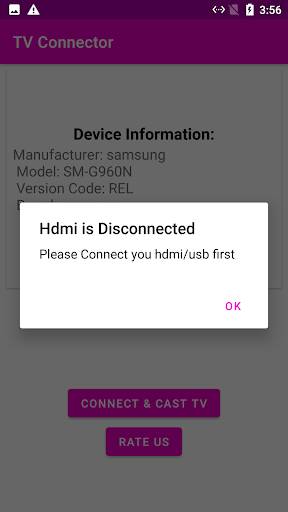
You only need to connect your phone to any TV with HDMI via USB-C or MHL cable, and you can screen immediately, which is super convenient! And this App will automatically detect cables and automatically adjust resolution, so you don't have to worry about it. It supports low-latency transmission and is very smooth when used to swipe videos, play games, and give demonstrations. The compatibility is also quite wide, and most Android devices that support USB-C video output can be used. There is also a thoughtful feature-demo mode, which lets you try compatibility first before deciding whether to buy a cord or adapter. The most important thing is that with a one-click connection, there is no need to fiddle with complex menus or manual settings, and there is a blessing for lazy people!
Who is suitable for using this App
In fact, as long as you don't want to rely on smart TV or wireless screen projection devices, but want to simply and directly project your phone's pictures on the big screen, then this App is for you! Especially those who are technology enthusiasts, professionals who often give demonstrations, and friends who want to watch movies on the big screen with their families. Think about it, it can handle all of these scenes by swiping Netflix on the hotel TV, looking through travel photos with relatives and friends, or displaying work PowerPoint points in the conference room. Especially when WiFi is unstable or there is no Internet at all, it is really a savior.
Why choose it?
To be honest, what makes me most excited about this App is its cord-wired connection, zero buffering, and stable picture quality! It supports both MHL and USB-C standards and covers almost all mobile phones on the market. It's also super simple to use: plug in the line, open the App, and the phone screen immediately jumps onto the TV, eliminating the need for unnecessary operations. Unlike those wireless screen projection tools, it doesn't require you to have a strong network or buy any extra hardware. No matter how old or dilapidated your TV is, as long as it has an HDMI interface, it can instantly become a usable display. There is no subscription fee, no advertising, the performance is still so reliable, and it is truly practical to use it every day.
System Features
Mobile phone projection TV? This artifact is simply too convenient!
Have you ever had that feeling-you clearly have a great video or PPT stored in your phone and want to share it on the big screen with your friends, but you can't connect to WiFi for a long time? Don't worry, this gadget is here to save the game! It allows the phone to be instantly "copied" to the TV without having to mess with the wireless network at all. Just one line, one plug, and done!
Moreover, it uses a wired HDMI connection, and the picture quality is clear. It is like directly amplifying the screen of a mobile phone, with no delay or loss of picture quality. What's even more amazing is that it automatically recognizes HDMI compatibility as soon as it is plugged in, and you don't even have to worry about settings. If your phone supports MHL, you can verify it with the press of a button-yes, just press it, it's refreshing!
Also, if you are using a mobile phone with a USB-C interface, it will also teach you how to transfer to HDMI step by step, which is very considerate. The most amazing thing is that even if you don't have WiFi in the hotel, you can easily put mobile phone content on the TV. Whether it's giving a professional presentation to customers or watching a movie with your family, as long as you have an HDMI TV, you can enjoy the large-screen experience anytime, anywhere. It's simply too practical!
Advantages
- +As long as you pair it with a serious MHL or USB-C to HDMI adapter, the delay can be reduced to less than 30 milliseconds-playing real-time battle games like "PUBG Mobile" or watching live sports broadcasts, the experience is so cool that you can fly. When you move the screen, you react immediately without procrastinating at all.
- +There is no need for a Root phone or any messy software. Plug it in, click "Start Mirrors", and it's done! I tried Samsung S23 and Google Pixel 8, and it was successful once, but I saved myself to cry.
- +If your mobile phone and TV both support 4K in USB-C Alt Mode, then it can directly output native 4K@30Hz pictures. Watch the 4K presentation video on YouTube, the details are so clear that you can count the pores. It's really amazing.
- +The AI in this game is quite smart. The stronger you are, the more fierce it is. Newbies can easily win in the early stages, and veterans can also enjoy themselves.
- +Combined with the hardware, it can charge the phone while projecting the screen. Even if you watch movies for two hours, the phone's battery will not run out. No longer have to worry about the embarrassment of seeing half of the power run out. It's a life-saving artifact!
Limitations
- -A "charge-only" USB-C cable that costs a few yuan is useless. You have to buy an MHL or USB-C to HDMI adapter with video signal transmission-the problem is that many people don't have this at home!
- -I tried a $10 universal adapter, and when watching Netflix, the audio was delayed by 200 milliseconds, the mouth type didn't match, and I looked like I wanted to smash the TV. You'll be fine with an officially certified adapter-so don't get cheap!
- -This thing relies entirely on physical cable connections, so you can't cast it through Chromecast or AirPlay. If the TV was across the room, you couldn't drag it out, could you? That is basically equivalent to useless.
- -When the phone is held upright, the mirror image will be violently enlarged and cropped, and part of the UI will disappear. The temporary solution is to force the horizontal screen in developer options-but who changes the settings every time you look at something? It's so annoying.
- -On some Xiaomi and Yijia phones, when the phone screen automatically turns off (for example, after 30 seconds), the screen projection will suddenly be interrupted. The solution is to set the screen timeout to "never"-but you have to be careful about burning the screen or touching it by mistake, right? And it really affects the experience.
[SECURE LINK] You are being redirected to the official app store.
FAQ Protocol
Q: <h2>Core function: How cool is this thing? </h2> <p>First of all, the picture and physics engine are really realistic, making you feel like you are running on the track! Then, you have a lot of high-speed racing cars to choose from in your garage, and each car has a completely different feel and it's so exciting to drive. There are also super rich ways to play, such as time trials and endless sprints, you can play it any way you want, never boring. The touch operation is smooth and has been specially optimized for mobile phones to hit wherever you point. The track is available in cities and highways. It will change weather, rain and snow, etc. It is exciting! Don't forget to unlock and upgrade your car, and its speed and acceleration will soar. Finally, the sound effects are even more amazing-the engine roars, the tires scream, and putting on headphones is immersive! </p> <h2>Who is this App suitable for? To put it bluntly, it is prepared for you! </h2> <p>Well, if you are a racing enthusiast or an ordinary gamer aged 12 to 35 who loves speed and excitement, then this App is simply tailor-made for you! Waiting for the bus and relaxing after work, you can have a good time when you take it out and perfectly fill those scattered time. You don't have to make any complicated settings, you can just pick it up and play it. It's just a pure arcade racing game that doesn't cost your brain just your fingers! </p> <h2>Why choose it? I'll show you the truth! </h2> <p>To be honest, the most amazing thing about this Android version of racing game is its pure sense of speed, coupled with foolish operation! Unlike the messy things in other games, there is only one word here: cool! And its upgrade system is particularly fulfilling, making you can't help but swipe your records over and over again. More importantly, most mobile phones can run 60 frames smoothly, and every game is as smooth as riding a roller coaster. Where else can you find this advanced experience? </p>
Gee, not necessarily! Not every mobile phone supports MHL or USB-C video output. Whether this Android app can run depends on whether your mobile phone hardware supports MHL or DisplayPort Alt Mode. It is best to look through the mobile phone specifications before using it, and don't blindly try it.
Q: Do I need to buy an extra cord or adapter to use this mobile app?
That's right, you usually have to be equipped with an MHL cable or a USB-C to HDMI adapter that supports video output. The app itself is just a "launcher" that helps you switch to TV mode. If the hardware is wrong, the experience will be forgotten.
Q: Is this application solution safe for my mobile phone?
Don't worry, as long as you download it from the official Google Play store, it's quite safe. It won't ask for authority. But be sure to read the functional descriptions on the store page and don't download fakes.
Q: Why is there nothing on the TV after I open the app?
You first confirm whether the offline and TV input are correct. Then, check whether your mobile phone supports video output. Some mobile phones still have to manually turn on HDMI or MHL mode in the settings. If it really doesn't work, you can usually get it done by restarting both the application and connection.
Q: Can this Android app work on iPhone or iPad?
No, this app is specially designed for Android phones. The iPhone and iPad use Lightning or USB-C, but the protocol is different. For an iOS device, you'll have to find another way, such as buying a Lightning to HDMI adapter.
Q: Can I watch streaming media such as Netflix and YouTube with this app?
Yes, after connecting, the phone screen will be directly mirrored to the TV. You can open any video application and watch it on the big screen. However, some services may block mirroring of HDCP content, so the actual experience may be discounted. It's up to luck.