Neshan| Map & Navigation App Background Art
Neshan| Map & Navigation App
Maps & Navigation

Neshan| Map & Navigation App

4.5
v14.10.2.3
نقشه و مسیریاب نشان

Visual Data

Neshan| Map & Navigation App Screenshot 1Neshan| Map & Navigation App Screenshot 2Neshan| Map & Navigation App Screenshot 3Neshan| Map & Navigation App Screenshot 4Neshan| Map & Navigation App Screenshot 5Neshan| Map & Navigation App Screenshot 6Neshan| Map & Navigation App Screenshot 7Neshan| Map & Navigation App Screenshot 8

Briefing

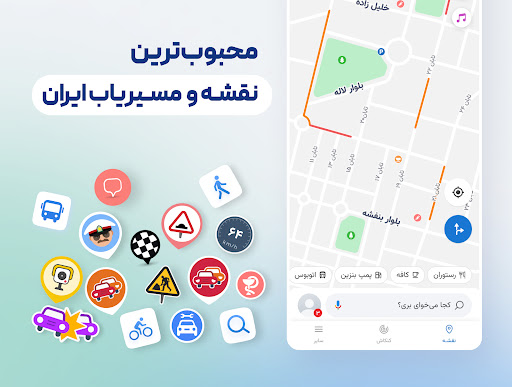
Neshan is a reliable maps and navigation Android app designed to provide accurate directions and real-time traffic updates. As a user-friendly mobile app, it helps users find the best routes, explore new areas, and stay connected with their surroundings through comprehensive map features. This app offers an intuitive experience, making navigation simple and efficient for everyday use.

Core Data

Core Features

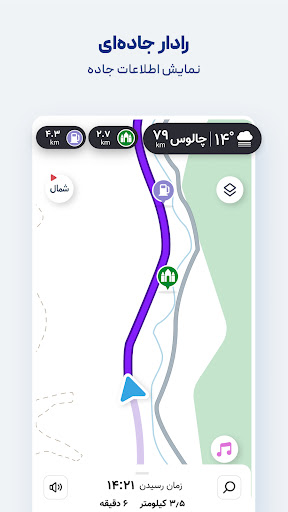
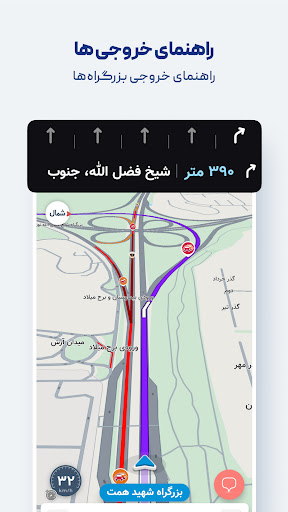
  • The app features real-time navigation with live traffic updates, helping users find the fastest routes.
  • Offline mode allows users to download maps and navigate without internet connectivity, ideal for remote areas.
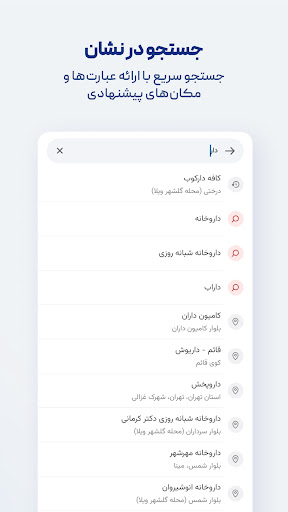
  • Advanced search options enable quick location pinpointing, making it easier to find destinations efficiently.
  • Real-time sync across devices ensures the app experience remains seamless when switching between devices.
  • The app offers voice-guided turn-by-turn directions for safe and easy driving navigation.
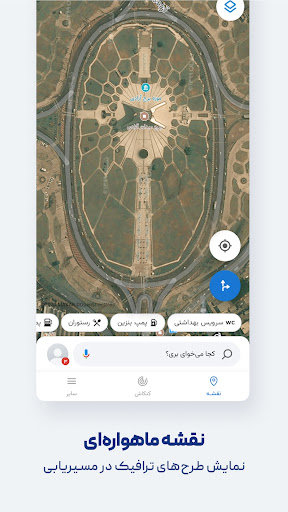
  • Customizable map layers and points of interest enhance the overall app experience for users seeking detailed info.
  • This mobile app integrates with other services, providing comprehensive app features for better navigation solutions.

Who This App Is For

This app-based solution is ideal for travelers, commuters, and outdoor enthusiasts who need reliable maps and navigation on their Android devices.

Whether exploring new cities or navigating rural areas, users benefit from an intuitive app experience that keeps them on track and informed during their journeys.

Why Choose This App

This Android app stands out because of its accurate, real-time traffic updates and offline capabilities, providing a dependable app experience regardless of network conditions.

Its robust app features and user-friendly interface make it a top choice for those seeking an efficient navigation app that offers both convenience and reliability in all scenarios.

System Features

1

١. ساده و کاربرپسند، راهنمای ناوبری مطمئن

2

۲. نقشه آنلاین و آفلاین، سفر بدون دغدغه

3

۳. مسیریابی سریع و دقیق، کاهش زمان سفر

4

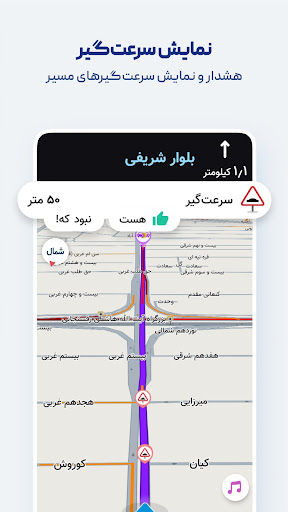
۴. اطلاعات ترافیک زنده و هشدارهای پلیس، سفر ایمن

5

۵. نمایش آلودگی هوا و وضعیت جوی، برنامه‌ریزی بهتر

6

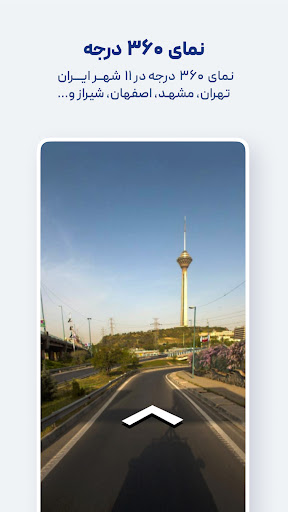
۶. شناسایی مکان‌های نزدیک و تجارب محلی، سفر راحت‌تر

7

۷. راهنمای صوتی و تشخیص نام خیابان‌ها، ناوبری ساده

8

۸. ادغام با سیستم‌های حمل‌ونقل، گزینه‌های سفر اقتصادی

Advantages

  • +
    User-friendly layout makes navigation and route planning straightforward for all users.
  • +
    Provides precise turn-by-turn directions with live traffic updates, reducing travel time.
  • +
    Includes detailed maps for urban and rural areas, enhancing usability across regions.
  • +
    Allows access to downloaded maps without internet, useful in low-connectivity areas.
  • +
    Suggests alternative routes to help users avoid congestion or explore new paths.

Limitations

  • -
    Currently lacks extensive public transit routes and schedules, which can impact urban commuters. Possible update expected soon.
  • -
    Maps may not always reflect the latest changes in new developments or road closures; users can report updates via feedback.
  • -
    High GPS usage can drain device batteries quickly; users should consider charging during long trips.
  • -
    Language support is primarily in local languages; expanding multilingual options is planned for future releases.
  • -
    Routing algorithms may falter in less-mapped regions; official map updates aim to improve this issue.

Download Protocol

[SECURE LINK] You are being redirected to the official app store.

FAQ Protocol

Q: Is the Neshan map and navigation app safe to use on my device?

Yes, Neshan is a trusted mobile app that prioritizes user security and data privacy. It is regularly updated to ensure compatibility and safety on Android devices. The app complies with standard security protocols, giving you peace of mind while navigating and exploring maps based solutions with confidence.

Q: How do I install Neshan on my Android device?

Installing Neshan from the Google Play Store is straightforward. Simply search for the app by name, then tap the install button. The app features a simple setup process that takes just a few moments. Once installed, you can start exploring its many app features, designed to enhance your navigation experience on your Android phone or tablet.

Q: Does Neshan support offline maps and navigation?

Yes, Neshan offers offline map access, so you can navigate even without an internet connection. This is particularly useful when traveling in areas with poor network coverage. The app provides reliable app experience with features tailored for offline use, making it a handy app based solution for both everyday commuting and adventurous trips.

Q: What are some key features of the Neshan map and navigation app?

Neshan's app features include real-time traffic updates, detailed maps, route planning, and points of interest. It aims to provide a comprehensive app experience for navigation enthusiasts. The app also integrates easily with your device, making it a reliable launcher app for those who seek efficient and accurate directions on their Android devices.

Q: Can I use Neshan as a launcher app for quick access to navigation tools?

While Neshan is primarily a navigation app, it can be added to your device's launcher for quick access to its features. This makes starting navigation faster and more convenient. Using it as a launcher app can improve your overall app experience, especially if you frequently rely on maps and navigation solutions during your daily routines.

Q: What should I do if I encounter problems installing or using Neshan?

If you experience issues with the app, first ensure your device meets the minimum Android version requirements. Clearing cache or reinstalling the app can often resolve common problems. For further assistance, you can visit the app's help section or support page, where you'll find detailed guides and contact options to ensure a smooth app experience.

Q: Is Neshan suitable for international travelers or only for local use?

Neshan is designed primarily for navigation within Iran, especially Tehran, but its detailed maps and app features can be helpful for local travel or even for browsing nearby points of interest. If you're looking for an app based solution for navigation in specific cities, Neshan's accurate and reliable app features can support your needs, whether you're a resident or a visitor.

Q: How does Neshan compare with other map and navigation apps for Android?

Neshan offers a unique app experience tailored to local users, with detailed maps and real-time traffic updates. Its app features are designed to meet the needs of daily commuters and travelers alike. While other apps may offer broader global coverage, Neshan provides accurate, trustworthy navigation solutions that make it a strong option among Android apps focused on local navigation and maps.

Customer Reviews

Loading reviews...

Recommended Protocols